Immigration documents that file themselves
DocPilot reads every PDF that lands in your firm's inbox, classifies it with AI, and files it to SharePoint with a clean, standardized name. Your staff just glance and approve.
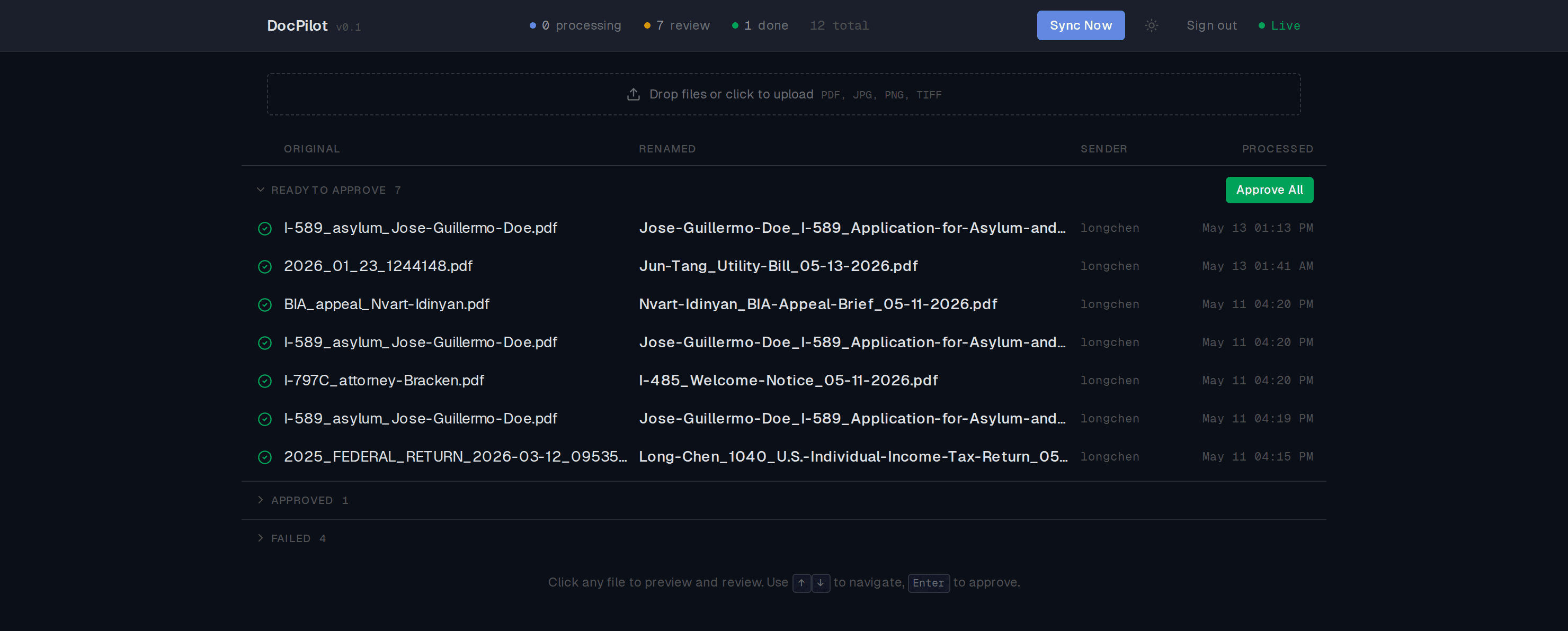
4 hrs → minutes
Daily filing time, before and after
50–60 / day
Documents handled on one screen
Since May 2026
Running daily at a real firm
The difference
Messy in. Consistent out.
DocPilot names files the way your firm names them: applicant, document type, date. Set the rule once, and every file from then on lands the same way.
How it works
From email to filed, without the busywork
Documents arrive two ways. DocPilot handles the rest, and stops for a human before anything is filed.
Two ways in
Capture
Pulls attachments from the inbox or your upload. Nothing gets missed at 7pm.
Understand
AI reads each document and tags the type, category, form number, and applicant.
Review
Your staff scan the AI's read in a keyboard-first queue and approve in seconds.
File
The approved file lands in the right SharePoint folder with a standardized name.
Nothing is filed until a person approves it. The AI does the work; your team keeps the judgment.
What's under the hood
AI classification
GPT-4o reads each document and tags it: type, category, form number, applicant. I-589, I-130, I-797, a tax return, it knows them.
Email and upload intake
Connect a shared mailbox and DocPilot pulls every attachment automatically. Or drop a stack of PDFs straight in.
Review in seconds
A keyboard-first queue. Arrow keys to move, Enter to approve. Clear a day's filing in the time it used to take to file one.
Standardized filing
Every approved file lands in the right folder with a name your whole firm can read. No more scan0042.pdf.
Same-person detection
Spots when "J. Doe" and "Jose Guillermo Doe" are the same client, so a client's files never scatter.
Live dashboard
Watch documents move through processing, review, and done in real time, with nothing hidden.
Human in the loop
AI proposes. Your team decides.
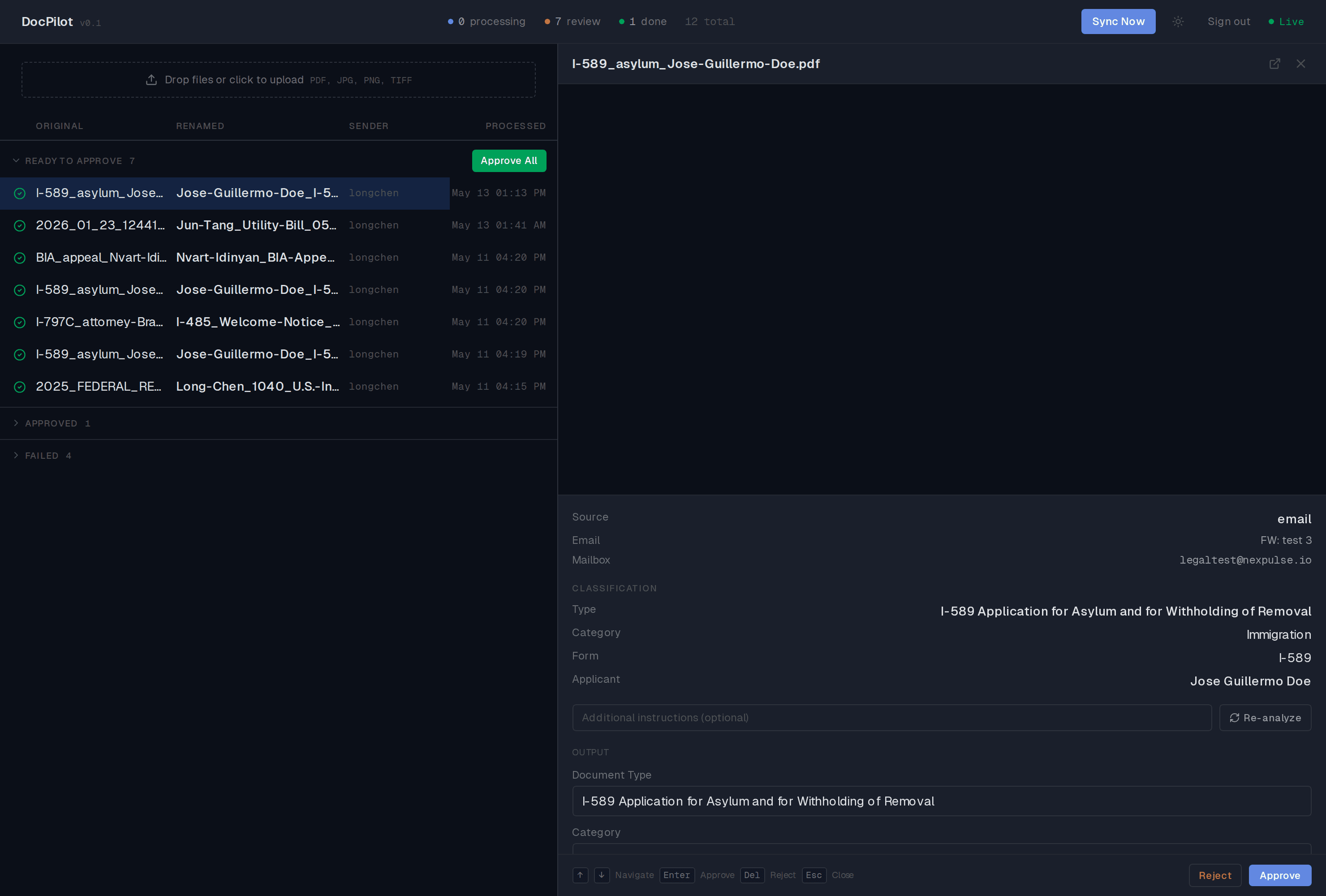
See the document, the AI's read, and the final name side by side. Agree? Press Enter. Disagree? Fix the type or name in a click, or ask the AI to look again.
- The document and its AI classification, side by side
- Edit type, applicant, or file name before it's filed
- Approve with Enter, reject with Delete, never touch the mouse
Built for a real firm. Running every day.
DocPilot isn't a prototype. It went live at an immigration law firm in May 2026 and processes the firm's documents every working day.
Your data stays yours
Files are filed into your own SharePoint. They never live on our servers.
Microsoft sign-in
Authentication runs through your Microsoft Entra (Azure AD) tenant.
A human approves every file
AI never files on its own. Every document passes a person first.
Privilege respected
Built for the confidentiality a law firm's documents demand.
Buried in documents? DocPilot digs you out.
We'll map it to your practice areas, mailboxes, and SharePoint structure, then deploy it for your team.